Using Path of Trader
Let the scanner find a flip, then track it to a measured profit
You have seen what a spread is and flipped one by hand. Path of Trader is built to do both at scale: surface the spreads worth taking, then track each flip from open position to realized profit. This guide walks the whole loop — scan, flip, record, measure.
What the scanner does
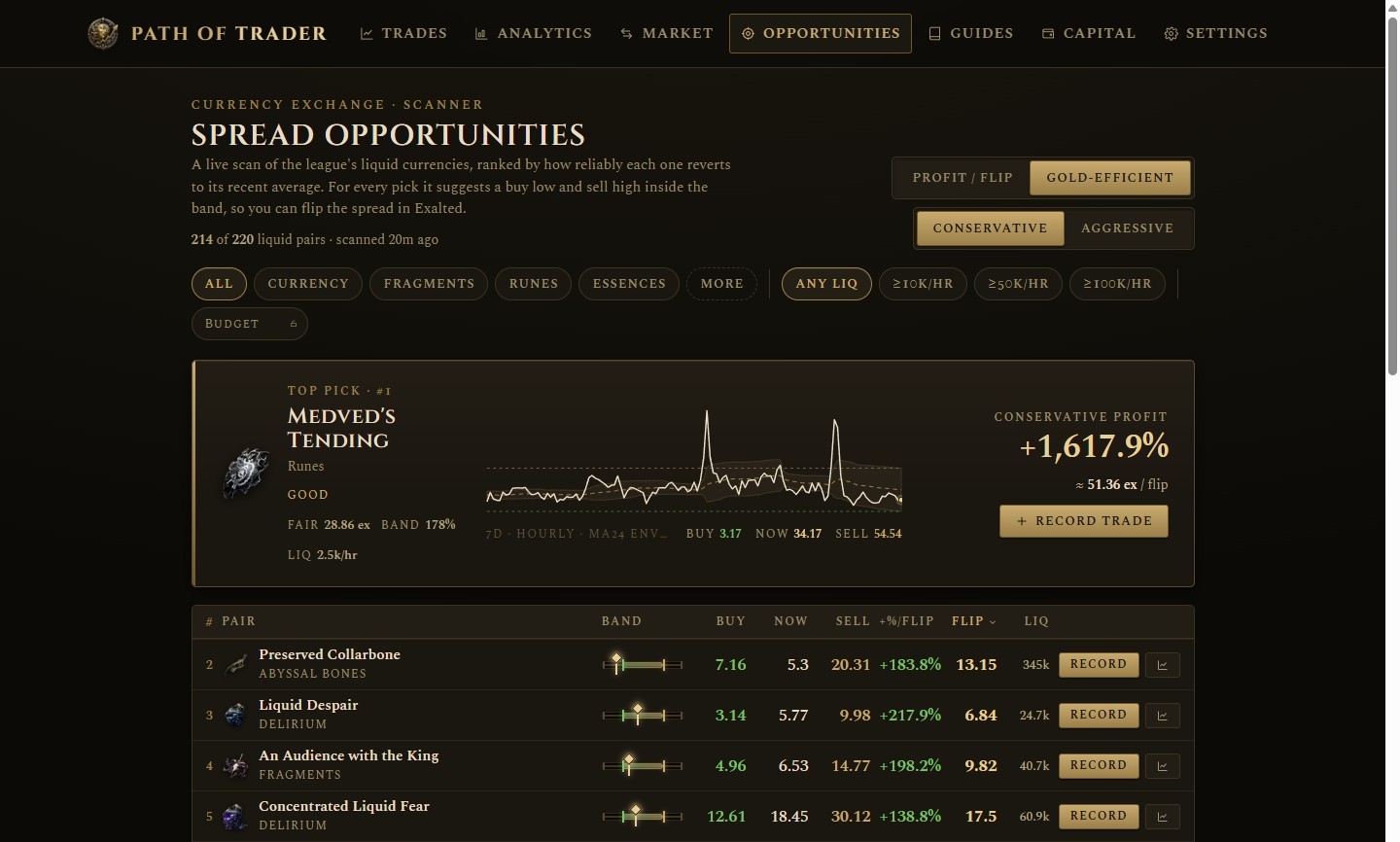
Open the Opportunities scanner and it does the market-reading for you. Instead of holding Alt over one pair, it scans every liquid currency in the league and ranks them by how reliably each one springs back to its recent average — the pairs whose price wanders out and reverts are the ones you can flip with confidence. For each pick it proposes a buy below that average and a sell above it: the spread you capture in Exalted. The header shows how many liquid pairs cleared the filters and how long ago the scan ran; the strongest pick sits up top as the hero card, the rest follow in a ranked table.
Tuning the picks
Two toggles shape what “best” means. Objective switches between Profit / flip — the most Exalted per completed flip — and Gold-efficient, which favours a high return on the gold each order costs and hides flips below a minimum margin. Risk swings the suggested prices: Conservative sits just inside the band for a faster fill, Aggressive reaches for a wider spread you may wait longer to catch. Below them, filter by category, by minimum liquidity (≥10k, 50k, or 100k traded per hour), or type a Budget in Exalted to drop anything you cannot afford. Lock the budget and the scanner also treats it as your capital per flip when it ranks.

From pick to trade
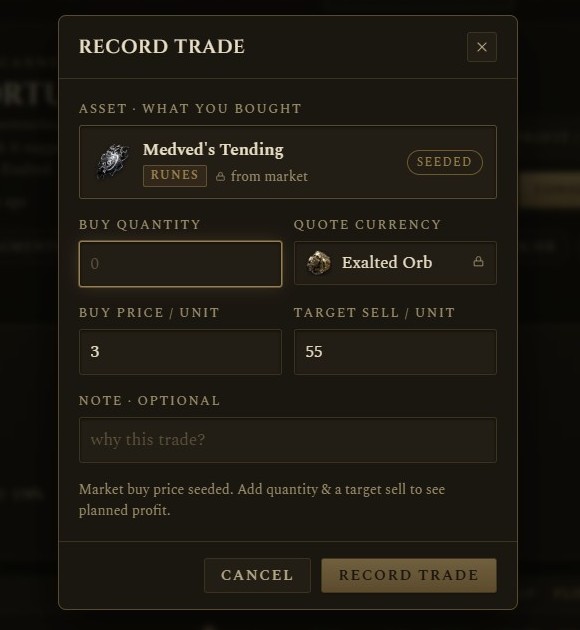
When a pick looks good, press Trade. Path of Trader opens a new trade already filled in with that pair and the suggested buy and target sell prices, so the jump from spotting a spread to tracking it is a single click. Adjust the numbers if your own read differs, then save — the pick becomes an open position in your ledger.
Tracking your position
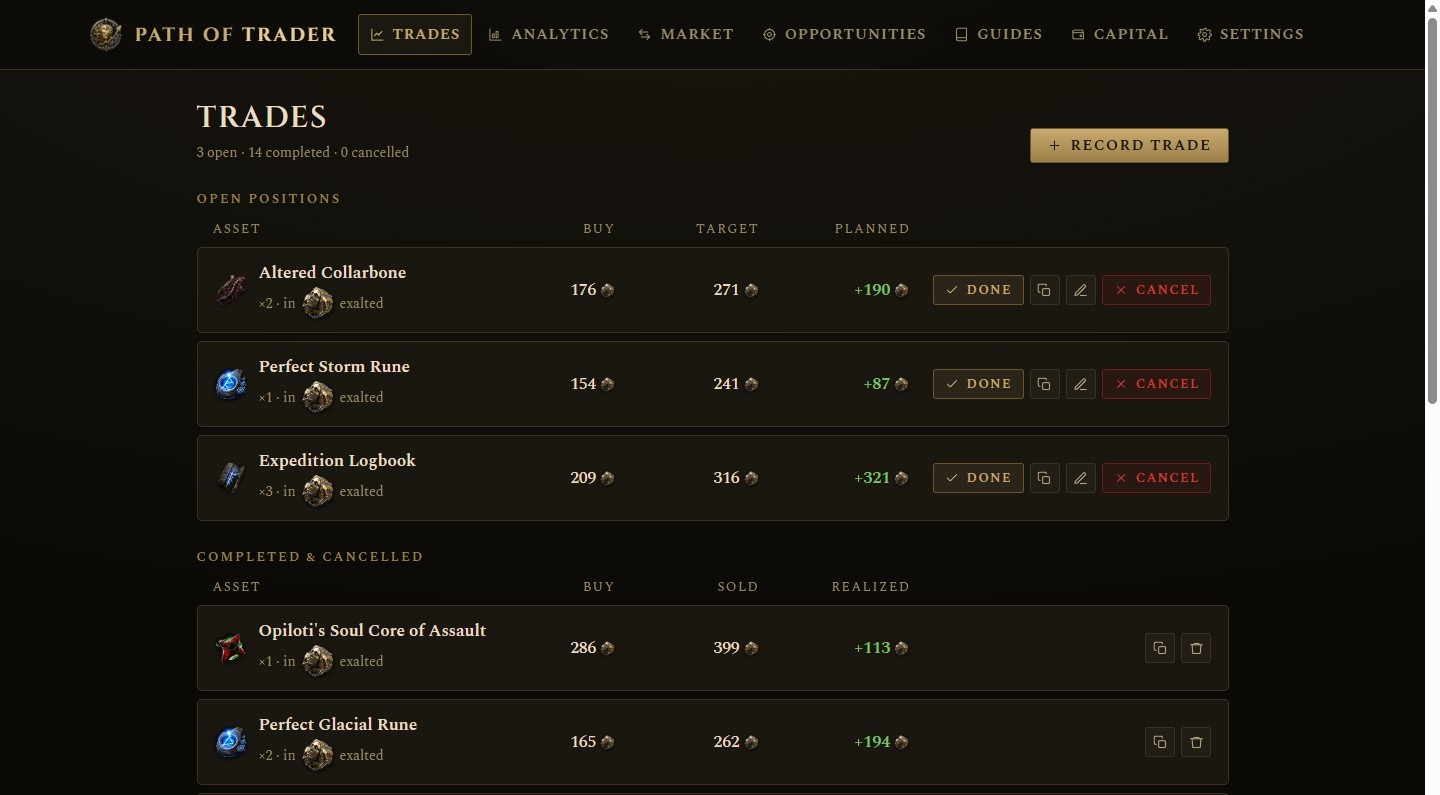
Trades is your ledger. A seeded buy lands under Open Positions with its buy price, your target, and the planned profit if the sell lands where you aimed — and its cost now counts as capital at risk. (You can also log a flip you found elsewhere with Record Trade.) Now go place the orders in game — how to flip currency covers that half. When the sell fills, press Done and enter the price you actually got; the trade moves to Completed with its realized profit. An open position is the only one you can edit, complete, or cancel — once it closes, the record stands.
Reading your edge
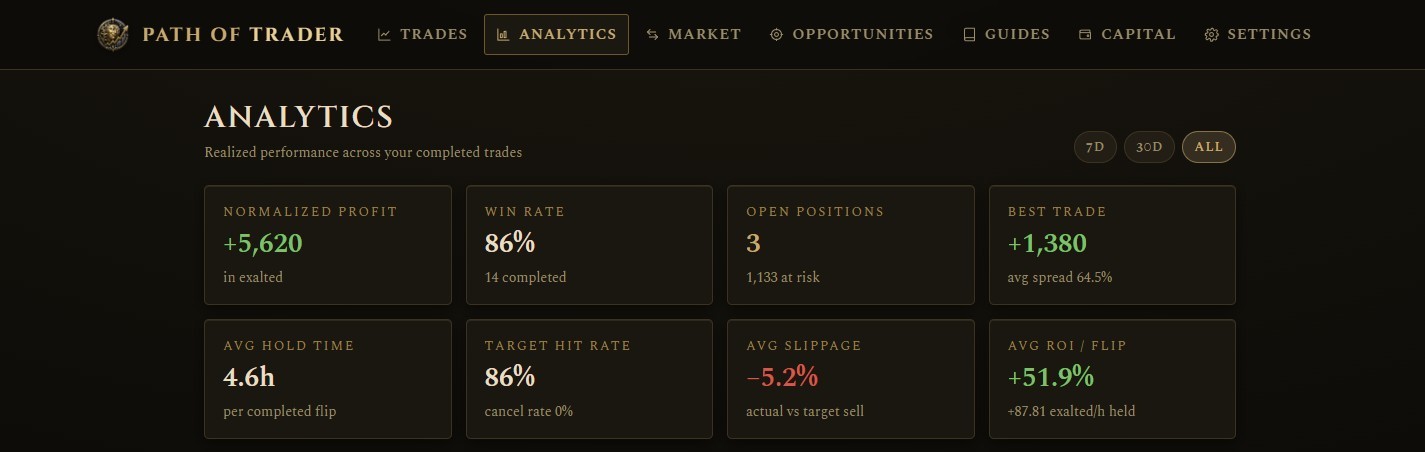
Analytics turns those closed trades into a verdict. Normalized Profit sums every realized gain into one display currency, so wins booked in Chaos, Divine, and Exalted add up to a single number — and it flags any currency it has no rate for rather than guessing. Around it sit your Win Rate, Best Trade, average hold time, target-hit and slippage rates, and ROI per flip, alongside the count of open positions with capital still at risk. Scope all of it to the last 7 or 30 days, or all time. These numbers exist only because you logged the flips; recording each one is what makes the edge measurable.
Capital growth over time
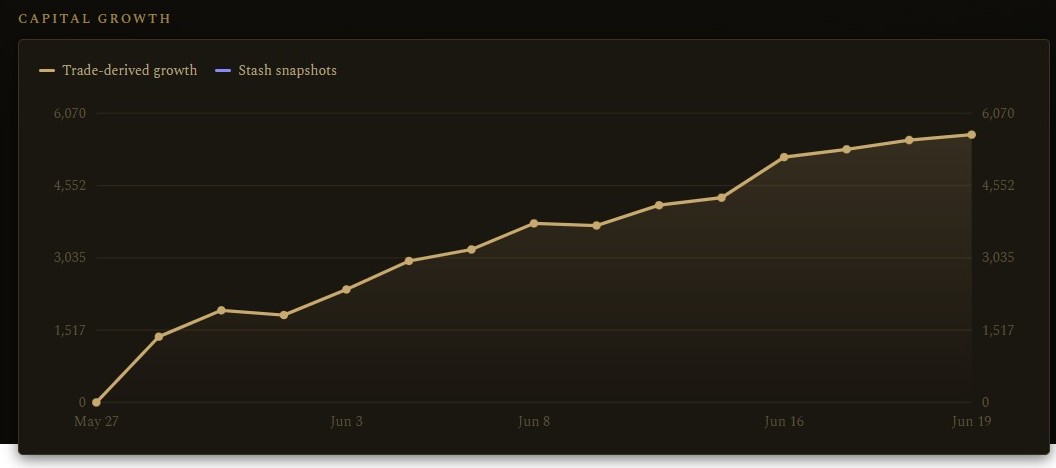
The headline numbers say how you are trading; the Capital Growth chart says where it is taking you. It traces your stake over time, with daily profit and loss, a per-item leaderboard, and realized profit broken out by currency beneath it — the long-run picture of whether the strategy compounds or just churns. That is the full loop: the scanner finds the spread, a click records it, the ledger tracks it, and Analytics proves it. Set the currency it all normalizes into under Settings, then head back to the scanner for the next flip.