
How to flip currency on the PoE2 exchange
Place orders, capture the spread, record the result
 closed in under an hour
Here is a real flip from start to finish. An Arbiter's Ignition was bought for 160 Exalted Orbs and sold for 240 — an 80 ex profit on a single item, with the whole cycle finishing in under an hour. The screenshots below are that exact trade, step by step. New to the idea? Start with what spread trading is.
Find a wide spread
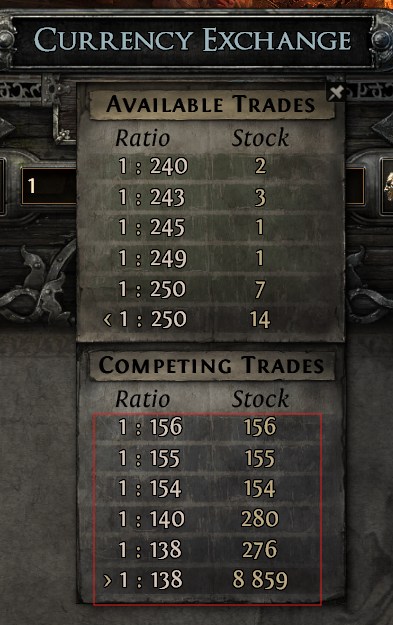
Hold Alt over the market to see every order. Here sellers are asking around 240 Exalted for one Arbiter's Ignition, while buyers are only bidding about 156. That gap between the two sides is the spread — and it is what you are about to capture.
Bids156 Spread84 exPlace a patient buy
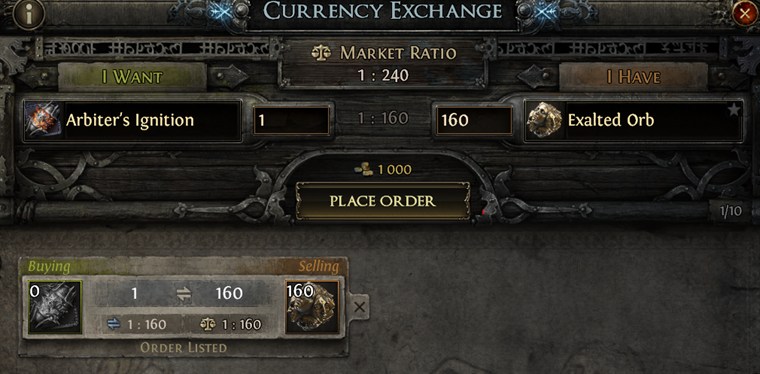
You do not pay the 240 asking price. Instead you post your own buy at 160 — just above the crowd bidding 156, so you sit near the front of the queue — and wait. A patient order keeps the spread on your side; the trade-off is the wait, from minutes to hours, for it to fill.
Queuenear the frontIt fills — now relist to sell
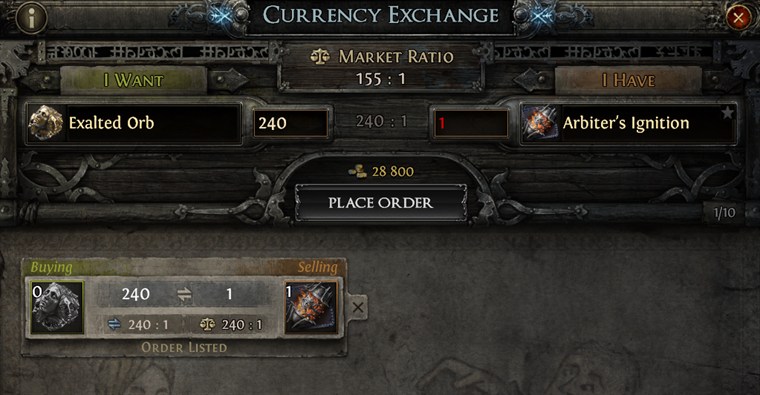
Once the buy fills you own the orb at 160. Flip it straight back onto the exchange, this time as a sell at 240 — the rate sellers were already getting. Then wait again for a buyer to take it.
The sell completes
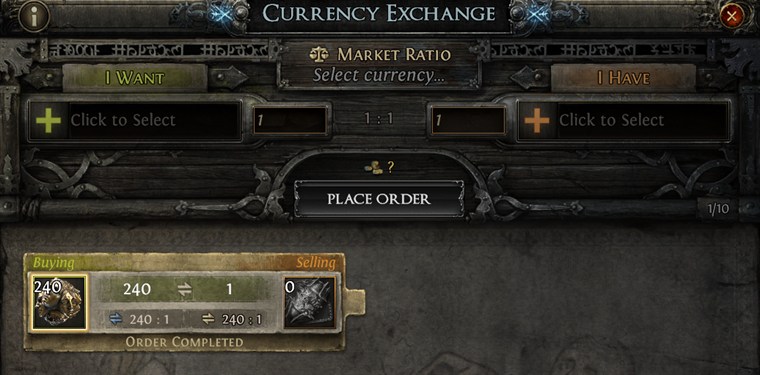
The sell order fills and 240 Exalted land in your stash. The position is closed — bought at 160, sold at 240. Here is what that flip actually paid:
One caveat for honesty: posting orders costs a little gold, so your net is a touch under the 80 ex gross shown above. It is a small fee on a flip this size, but on thin margins or large stacks it adds up — always factor it in.
That is one flip. The skill is repeating it on currencies that actually move — and that is what Path of Trader is for. See using Path of Trader to let the Opportunities scanner surface live spreads and track each flip through to realized profit.